Last updated: November 12, 2026
Key Takeaways
- Match the meter register and controller input first.
- Convert pulses into volume with the right totalizer setting.
- A compatible register usually makes pulse counting easier.
- A simple sensor signal is usually best for tracking usage.
Your irrigation bill is going up, and you need a water meter pulse sensor for How to Choose a Water Meter Pulse Sensor for Irrigation Usage Tracking that can track usage without fighting your controller. Quick answer: start with one sensor that matches the meter register and the controller input, then confirm the pulse factor before installation. The right choice depends on pulse output compatibility, the meter’s register type, and how your controller reads pulses. The steps below settle the fit.
Our Top 3 Picks at a Glance
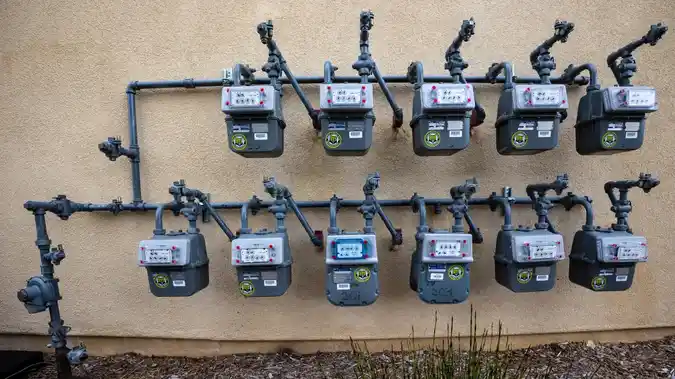
- #1 Best Overall: A pulse sensor that matches the meter’s register and the controller’s input style
- #2 Best Budget Pick: A simple reed switch sensor for basic flow totalization
- #3 Best Heavy-Duty / Upgrade Pick: A sensor built for long cable runs and cleaner pulse logging
| Product / Option | Best For | Core Spec | Standout Feature | Action |
|---|---|---|---|---|
| Best Overall | Homeowners who need reliable usage tracking | Matched pulse output and register type | Works cleanly with an irrigation controller or totalizer | Choose this if the meter and input specs line up |
| Best Budget Pick | Simple logging on a basic system | Reed switch pulse output | Low-complexity wiring | Choose this if you only need basic totals |
| Best Heavy-Duty / Upgrade Pick | Longer runs and more demanding installs | More tolerant signal handling | Better fit for tighter panel work | Choose this if the run is long or the controller input is picky |
What should match before you buy a pulse sensor?
A water meter pulse sensor has to match the meter register and the controller input before anything else. If those two parts do not speak the same language, the sensor will sit there making pulses that nobody reads.
Picture this: you already have a water meter in place, but the irrigation controller expects a dry contact and the sensor outputs something else. That mismatch wastes time fast. Here’s the catch: most failures happen at the interface, not in the sensor body itself.
- Confirm the meter has a pulse output or a register designed for a pulse pickup.
- Check whether the register is a magnetic type that can drive a reed switch.
- Read the controller manual for the exact input style it accepts.
- Look for flow totalizer support if you want usage logging, not just a signal.
A good fit is usually a boring fit. That’s the point. For a broader system view, see Irrigation system monitoring and sensors.
How do you read irrigation water usage from a meter?
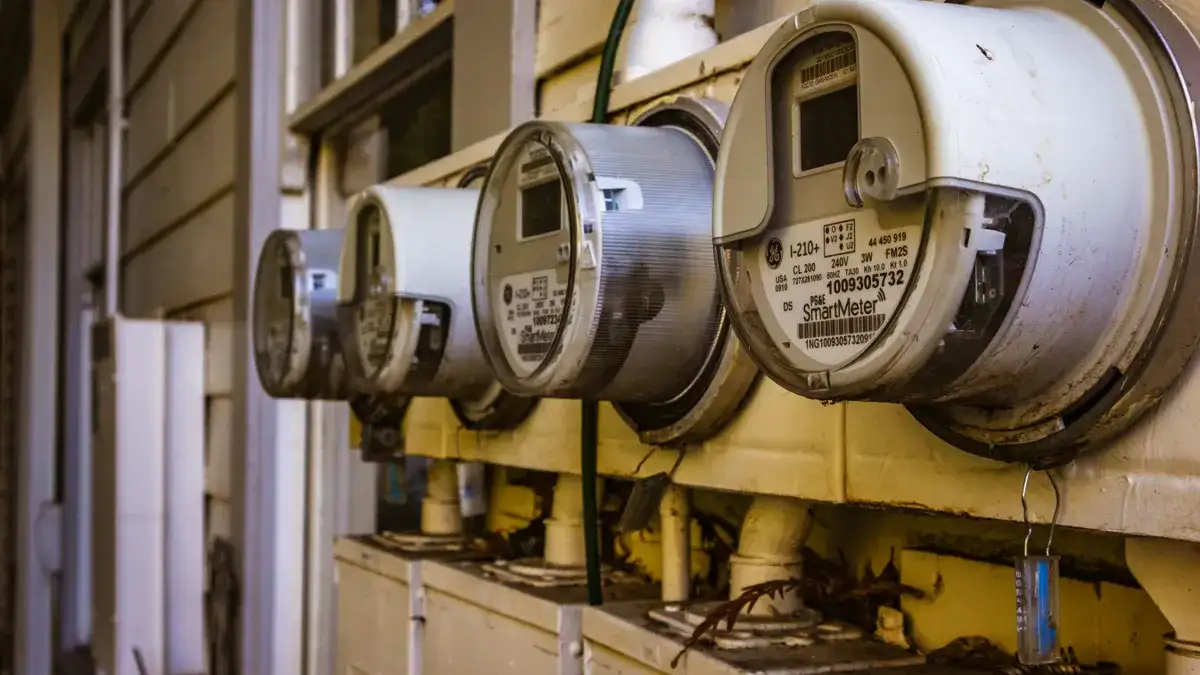
You read irrigation usage by turning pulses into volume totals through a flow totalizer or controller setting. Each pulse stands for a fixed amount of flow, so the sensor is only half the job; the conversion factor is the other half.
Picture this: the sprinkler zone runs for 18 minutes, and the controller stores a pulse count instead of a guess. That gives you a running log you can compare across weeks, even if the weather changes. You do not need leak detection features for this page’s job.
- Identify the meter’s pulse value, such as one pulse per unit of volume.
- Set the controller or logger to the same pulse factor.
- Wire the sensor leads to the input terminals the controller specifies.
- Run one irrigation cycle and confirm the totalizer increases.
- Record the reading after each watering day to build a usage log.
A mismatch of even one setting makes the totals useless. On a long irrigation run, that kind of error can hide quickly.
For the general monitoring side of this topic, see the hub on Irrigation system monitoring and sensors.
Which meter register type should you look for?
A meter with the right register is the easiest path to clean pulse counting. Some registers are designed for a reed switch pickup, while others need a different sensor style or a factory pulse module.
Picture this: the meter face already has a register, but the cover won’t accept the pickup you bought. That is a common dead end. A lot of generic articles skip this part and tell you to “check compatibility” without saying what to check. Not good enough.
- A reed switch sensor works best when the register provides a magnetic trigger.
- An optical or encoded register may need a different pulse reader.
- A mechanical register with no pulse port may not be worth forcing.
- A factory pulse module is cleaner than an improvised adapter.
If the meter is old and the register style is unclear, the safer move is to identify the model first. That saves you from buying a sensor that cannot physically sit where it needs to sit. If needed, compare the meter details with water meter replacement parts before you order.
What controller input wiring should you expect?
A controller input for usage tracking usually wants a simple, clean signal from the sensor, not a complicated wiring job. The main question is whether the input expects a dry contact, low-voltage pulse, or a specific sensor module.
Picture this: you open the controller cabinet and find spare terminals, but no clue whether they are meant for a pulse counter or a valve zone. That is where mistakes start. The wire count may be small, yet the consequence of a wrong landing is a dead reading.
- Check whether the sensor uses two-wire or three-wire connection.
- Match the terminal labels in the controller manual, not the color guess.
- Keep cable runs short when possible; long runs make weak signals more likely.
- Protect the splice from moisture so the pulse count does not drift.
Who Should Skip This: If your controller has no pulse input at all, a simple meter reader or standalone totalizer is the better fit. A sensor alone will not create logging where the controller has nowhere to put the data.
Buy this if: you are tracking irrigation demand on a controller that already supports pulse counting.
Skip this if: you need a setup that can log usage without touching controller wiring. If that is the goal, compare options on irrigation meter readers.
Which sensor type is the safer choice: reed switch or something else?
A reed switch sensor is the safer starting point for basic irrigation usage tracking because it is simple, common, and easy to pair with many meter registers. It is not always the right fit for every meter.
Picture this: you want a straightforward reading, not a lab project. A reed switch can be the clean answer when the meter has the right magnetized register and the controller wants a dry contact. The trade-off is that it depends on mechanical alignment and a compatible register.
- Choose a reed switch when the meter register is magnetic and the controller input is simple.
- Choose a different pulse module when the meter maker specifies one.
- Choose a heavier-duty signal path if the run is long or noisy.
- Avoid forcing a reed switch onto a register that was never built for it.
A generic sensor can look cheaper on paper and cost more after the first bad install. The lost time is the real bill.
What makes a pulse sensor good for usage logging over time?
A pulse sensor is good for usage logging when it gives repeatable counts, holds steady across watering cycles, and stays matched to the same meter register after installation. For tracking irrigation demand over months, consistency matters more than fancy features.
Picture this: you want to compare June to July, not just see one number flash on a screen. If the sensor bounces, misses pulses, or shifts on the meter body, the log becomes noise. A plain, stable setup is worth more than extra functions you will never use.
- Prefer a sensor with clear pulse behavior over one with vague compatibility claims.
- Keep the same flow totalizer settings after the first calibration.
- Make sure the sensor stays fixed on the register and does not drift.
- If the controller stores history, confirm you can export or review totals later.
One honest limitation: a pulse sensor tracks consumption, not a hidden leak by itself. If your main goal is leak detection, that is a different sensor choice and a different page.
Common mistakes that ruin usage tracking
A pulse sensor fails in practice when the meter, register, wiring, and totalizer do not agree. Most of those failures are preventable, and the fix is usually a small one.
Picture this: the setup powers up, but the totals never move or they jump in strange steps. That usually means the problem is not the water meter itself. It is the match between the parts.
- Buying first, checking later — costs you a return or a dead sensor. Check the meter model and controller input first.
- Ignoring the register type — costs you clean pulse counts. Match the sensor to the register, especially if it is a reed switch setup.
- Using the wrong totalizer factor — costs you bad logs. Set the pulse-to-volume ratio before you start tracking.
- Running sloppy wiring — costs you missed pulses. Keep the line tidy and protected from moisture.
The shortest path is usually not the cheapest box. It is the one that keeps counting the same way next month.
What should you ask the seller before you order?
You should ask for the exact pulse output, the register match, and the controller input requirement before you order anything. Those three details decide whether the sensor will work or sit on a shelf.
Picture this: the listing says “fits most meters,” but your meter is not most meters. That phrase saves a seller’s page, not your install. Ask for specifics in plain language and get them in writing if you can.
- What meter register types does the sensor support?
- Does it output a reed switch contact, a dry contact, or another signal?
- What controller input should it connect to?
- Is there a specified pulse factor for usage logging?
If the seller cannot answer those four questions, stop there. A vague answer is a warning, not a solution.
What is a pulse sensor on a water meter?
A pulse sensor on a water meter is a pickup that turns each measured increment of flow into an electrical pulse. The controller or totalizer counts those pulses to estimate usage. In irrigation, that makes it possible to track demand over time without reading the meter by hand every day.
Can a pulse sensor work with my irrigation controller?
Yes, if your irrigation controller has a pulse input that matches the sensor’s output. The important part is the input style, not just the brand name on the box. Check the controller manual for dry-contact, reed switch, or module support before you buy. For setup details, the Irrigation system monitoring and sensors page is the next stop.
How do you read irrigation water usage from a meter?
You read irrigation usage by counting pulses and converting them to volume with the right totalizer setting. Each pulse stands for a defined amount of flow, so the total grows as irrigation runs. If the pulse factor is wrong, the total is wrong too, so calibration matters more than the display style.
Drafted with AI; not yet reviewed by a person.